






Phishing attacks continue to be one of the most common and damaging cybersecurity threats in 2026. They exploit human trust to steal sensitive information such as login credentials, financial data, or personal details. Both individuals and businesses are at risk, with attackers using email, SMS, phone calls, or social media to trick victims. Preventing phishing requires a combination of technology, employee or personal awareness, and proactive security measures. This guide provides actionable strategies to effectively defend against phishing, including recognizing attacks, implementing multi-factor authentication, securing systems, employee training, and verifying requests. By applying these steps consistently, users and organizations can reduce the risk of data breaches, financial loss, and reputational damage caused by phishing scams.
Understanding Phishing Attacks
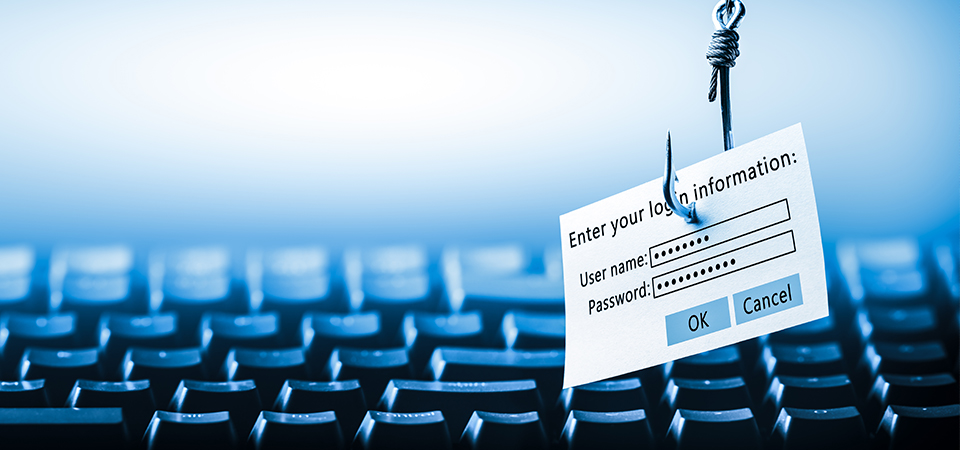
Phishing attacks involve fraudulent attempts to obtain sensitive information by posing as a trustworthy entity. Common forms include email phishing, where attackers send deceptive emails; spear-phishing, targeting specific individuals or organizations; smishing, using SMS messages; and vishing, which uses phone calls. Attackers often create a sense of urgency, fear, or curiosity to prompt the recipient to click links, download attachments, or provide credentials. Understanding how phishing works is the first step in preventing it.
Recognizing the psychology behind these attacks—exploiting trust and authority—helps users remain vigilant. For businesses, analyzing past phishing incidents can reveal common attack patterns, helping to tailor defenses. By being aware of the different forms and tactics of phishing, both individuals and organizations can implement the right technological and behavioral safeguards, reducing susceptibility to these pervasive cyber threats.
Recognizing Phishing Emails and Messages
Identifying phishing emails and messages is essential for prevention. Common signs include suspicious sender addresses, generic greetings, spelling or grammar errors, urgent requests, and unexpected attachments or links. Phishing attempts may mimic trusted companies, banks, or colleagues, making detection challenging. Hovering over links to check URLs, verifying email domains, and being cautious with unsolicited attachments are key practices. Real-life examples, such as fake payment notifications or password reset requests, illustrate typical tactics.
For businesses, employees should be trained to report suspicious emails promptly. Anti-phishing awareness campaigns and internal communication channels for reporting threats can reduce risk exposure. Recognizing phishing attempts requires attentiveness and skepticism toward unexpected or unusual communications. Consistently applying verification checks and teaching users to question suspicious content significantly lowers the likelihood of falling victim to phishing scams.
Use Multi-Factor Authentication (MFA)
Multi-Factor Authentication (MFA) adds a critical layer of security to protect accounts even if credentials are compromised. Instead of relying solely on a password, MFA requires an additional verification step, such as a one-time code sent via SMS, authentication apps, or biometric verification like fingerprints or facial recognition. MFA significantly reduces the risk of unauthorized access because attackers would need more than just stolen passwords.
For businesses, implementing MFA on email accounts, financial systems, and internal tools ensures sensitive data remains secure even if an employee falls victim to phishing. It is particularly effective against spear-phishing campaigns targeting executives or high-privilege users. Users should enable MFA wherever available and encourage its use across devices and applications. By combining strong passwords with MFA, organizations and individuals can create a robust defense against credential-based phishing attacks.
Keep Software and Systems Updated
Phishing attacks often exploit vulnerabilities in outdated software or unpatched systems. Keeping operating systems, browsers, plugins, and applications updated ensures known security flaws are fixed before attackers can leverage them. Regular updates reduce exposure to exploits embedded in malicious links or attachments sent via phishing emails. Automatic updates can simplify maintenance and ensure patches are applied promptly. For businesses, centralized patch management systems help keep all endpoints current.
Employees should also be instructed to avoid using unsupported or outdated software. Updates often include improvements to security protocols, such as enhanced spam detection or encrypted communication. By maintaining updated software and systems, individuals and organizations reduce the risk of phishing attacks leading to malware infections, credential theft, or unauthorized access. A proactive approach to updates strengthens overall cybersecurity resilience.
Implement Email Filtering and Security Tools
Email filtering and security tools are essential for blocking phishing attempts before they reach users’ inboxes. Spam filters, secure email gateways, and anti-phishing software can detect and quarantine suspicious emails. Advanced solutions analyze sender reputation, message content, embedded links, and attachments to prevent malicious messages from bypassing defenses. Many tools also provide real-time alerts for suspicious activity, allowing IT teams to respond quickly. For businesses, integrating email security with threat intelligence feeds enhances protection against emerging phishing campaigns.
Users should also report suspicious emails that bypass filters, feeding this information back into security systems for improved detection. Combining automated tools with human vigilance significantly reduces the likelihood of phishing success. By deploying robust email filtering and security solutions, organizations and individuals create a proactive barrier against phishing attacks while minimizing disruption to legitimate communications.
Employee Training and Awareness
Employees are often the first line of defense against phishing. Training programs educate staff on recognizing suspicious emails, malicious links, and social engineering tactics. Regular simulated phishing exercises test employee readiness and reinforce awareness. Training should include reporting protocols so employees know how to alert IT teams about potential threats. Awareness campaigns can highlight common tactics, such as impersonation, urgent requests, or unexpected attachments.
Creating a security-conscious organizational culture encourages employees to question unusual requests rather than acting impulsively. Continuous training keeps staff informed about evolving phishing techniques, reducing the likelihood of successful attacks. Combining human vigilance with technological defenses like MFA and email filters maximizes security. Well-trained employees can detect and stop phishing attempts before they escalate, protecting sensitive data, financial assets, and organizational reputation.
Verify Suspicious Requests Before Acting
Verification is a critical step in preventing phishing attacks. Users should always confirm the legitimacy of unexpected emails, messages, or phone calls before responding, clicking links, or providing sensitive information. Techniques include directly contacting the sender via a known phone number or official email, checking official websites, or consulting IT/security teams. Policies should prohibit sharing login credentials or financial information based on unsolicited requests.
For organizations, having a standard verification procedure for sensitive actions, such as transferring funds or resetting passwords, ensures consistency and reduces human error. Verification reduces the risk of falling victim to impersonation or social engineering attacks. Even if a message appears authentic, confirming the request provides a crucial safety net. By integrating verification practices into daily operations, both individuals and businesses strengthen their defenses against phishing attacks.
Regularly Backup Important Data
Regular data backups provide a safety net in case a phishing attack succeeds. If a phishing email leads to malware, ransomware, or credential theft, backed-up data ensures business continuity and prevents permanent loss. Both offline and cloud backups are recommended, with encryption applied to protect sensitive information. Businesses should automate backup schedules to maintain consistency and test backups periodically to ensure recovery works as expected. Employee devices, databases, and critical systems should all be included in backup plans.
In addition to protecting against ransomware, backups also safeguard against accidental deletions or system failures caused by phishing-related malware. Maintaining secure, up-to-date backups allows organizations to recover quickly from incidents, minimizing downtime, financial loss, and reputational damage. Combined with training, verification, and technical defenses, data backups are an essential part of an effective anti-phishing strategy.
Conclusion
Phishing attacks remain a major cybersecurity threat, targeting both individuals and organizations. Preventing them requires a combination of technology, awareness, and best practices. Key measures include recognizing suspicious emails and messages, using multi-factor authentication, keeping systems updated, implementing email security tools, training employees, verifying requests, and maintaining regular backups. A multi-layered approach ensures that even if one defense fails, others mitigate the risk.
FAQs
What is phishing and how does it work?
Phishing is a cyberattack where attackers trick individuals into revealing sensitive information such as passwords, credit card numbers, or personal data. This is usually done via deceptive emails, messages, or phone calls that appear legitimate.
How can multi-factor authentication help prevent phishing attacks?
Multi-factor authentication (MFA) adds an extra layer of security by requiring users to verify their identity through multiple methods, such as a one-time code or biometric verification. Even if credentials are stolen, MFA prevents unauthorized access.
What are the common signs of a phishing email?
Common signs include suspicious sender addresses, generic greetings, spelling errors, urgent requests, unexpected attachments, and suspicious links. Always verify messages before responding or clicking on any links.


